04. The Timeline
04 L The Timeline
Premiere auto-detects your VR video if you have the correct metadata inserted. If not, then your VR preview might look very distorted. If this happened to you, then click on the Wrench icon, then go to VR Video, then Settings. Change the Frame Layout from Stereoscopic to Monoscopic. Then, click OK.
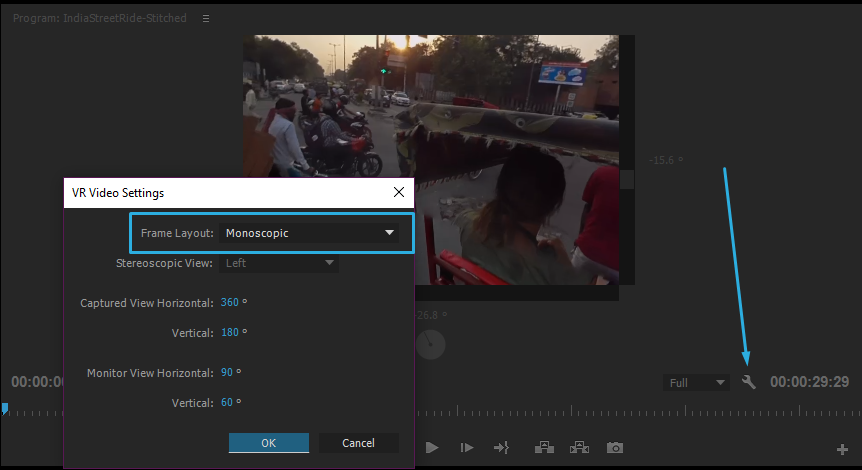
Change the Frame Layout to Monoscopic. By default, it’s stereo.
Preview in an HMD
If you own an Oculus Rift, you can preview the video inside your headset using the Mettle Skybox VR Player.
Project Preview:

